
How invites work
Share your Benson link: your friend gets 30 days of Own free, and when they start paying you get a month of their plan as credit.
Jump to a section
Know a store that's losing margin to coupon extensions? Send them your invite link. They get a longer free trial, and when they become a customer, you get Benson credit.
- 01You share your linkFrom Invite & earn in Benson, or give a friend your handle.
- 02They get 30 days of Own freeInstead of the usual 14, with no card.
- 03You get a month of their planAs Benson credit, 14 days after they first pay.
Get your link#
Your link lives in Benson under Invite & earn in the sidebar. Everyone in your workspace gets their own link, and credit from every one of them goes to the workspace.
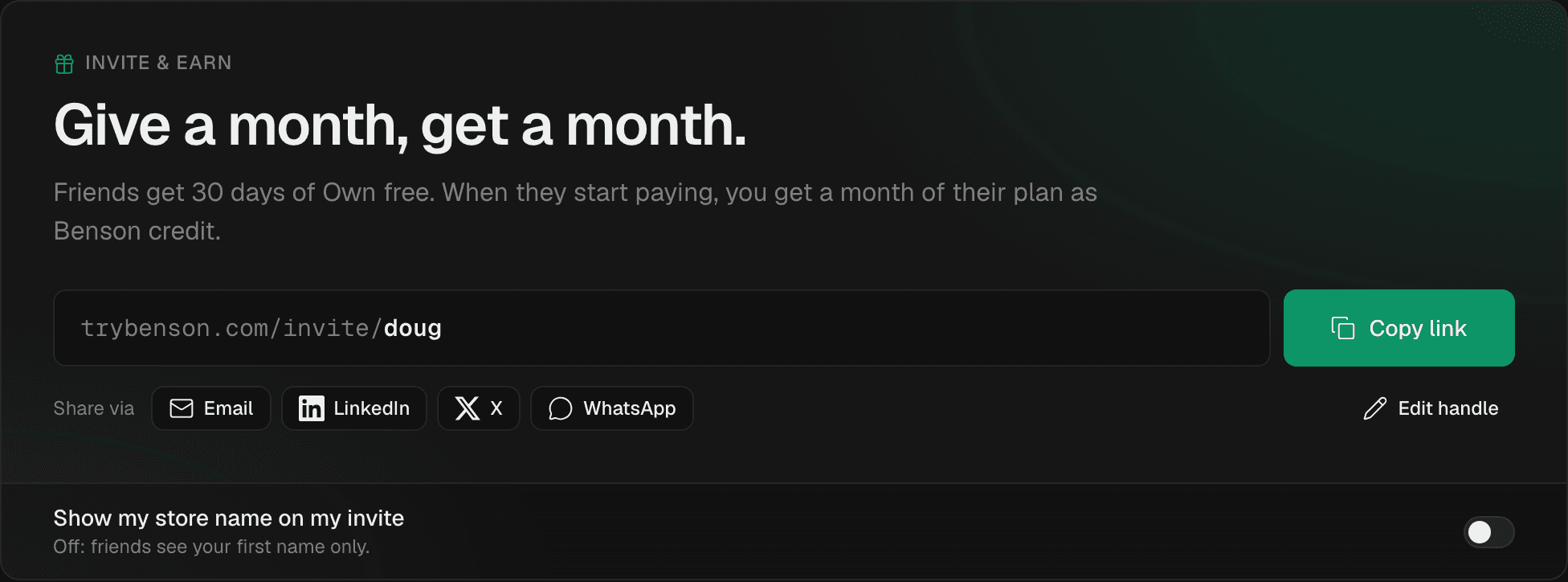
- Copy link puts it on your clipboard. On a phone, Share opens your phone's share sheet.
- Email, LinkedIn, X and WhatsApp open a ready-to-send message with your link in it.
- Edit handle turns
trybenson.com/invite/doug-7k2pinto something shorter, liketrybenson.com/invite/doug. Handles are 3 to 24 lowercase letters, numbers and single hyphens. You can change yours 5 times, and your old links keep working. - Show my store name on my invite adds your store's name next to your first name. It's off until you turn it on.
What your friend sees#
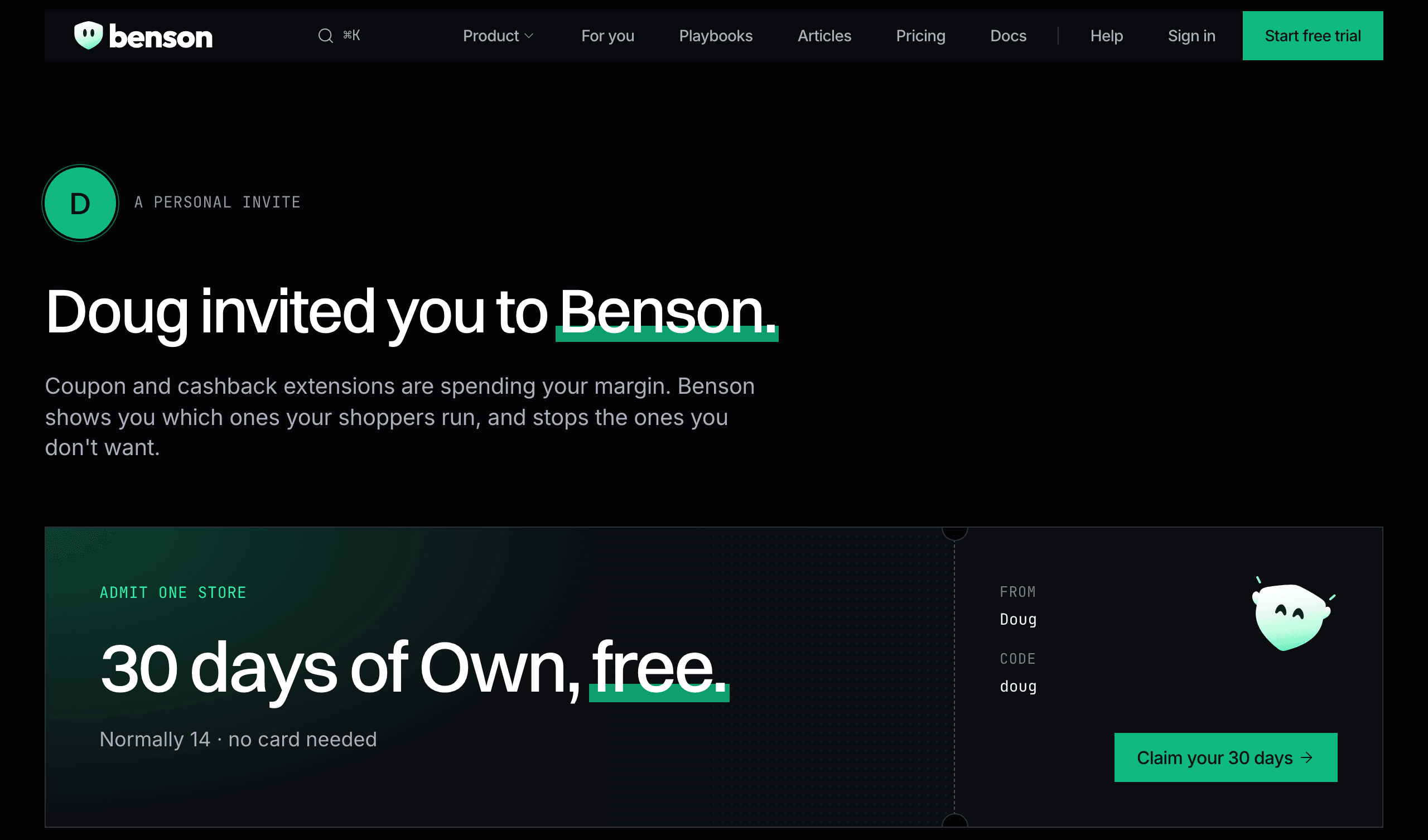
Your link opens a page made for them: your first name, your offer, and one button.
When they sign up, the sign-up form shows who invited them and what they get. It works the same whether they sign up with email, Google or a magic link: their browser remembers your invite for 30 days.
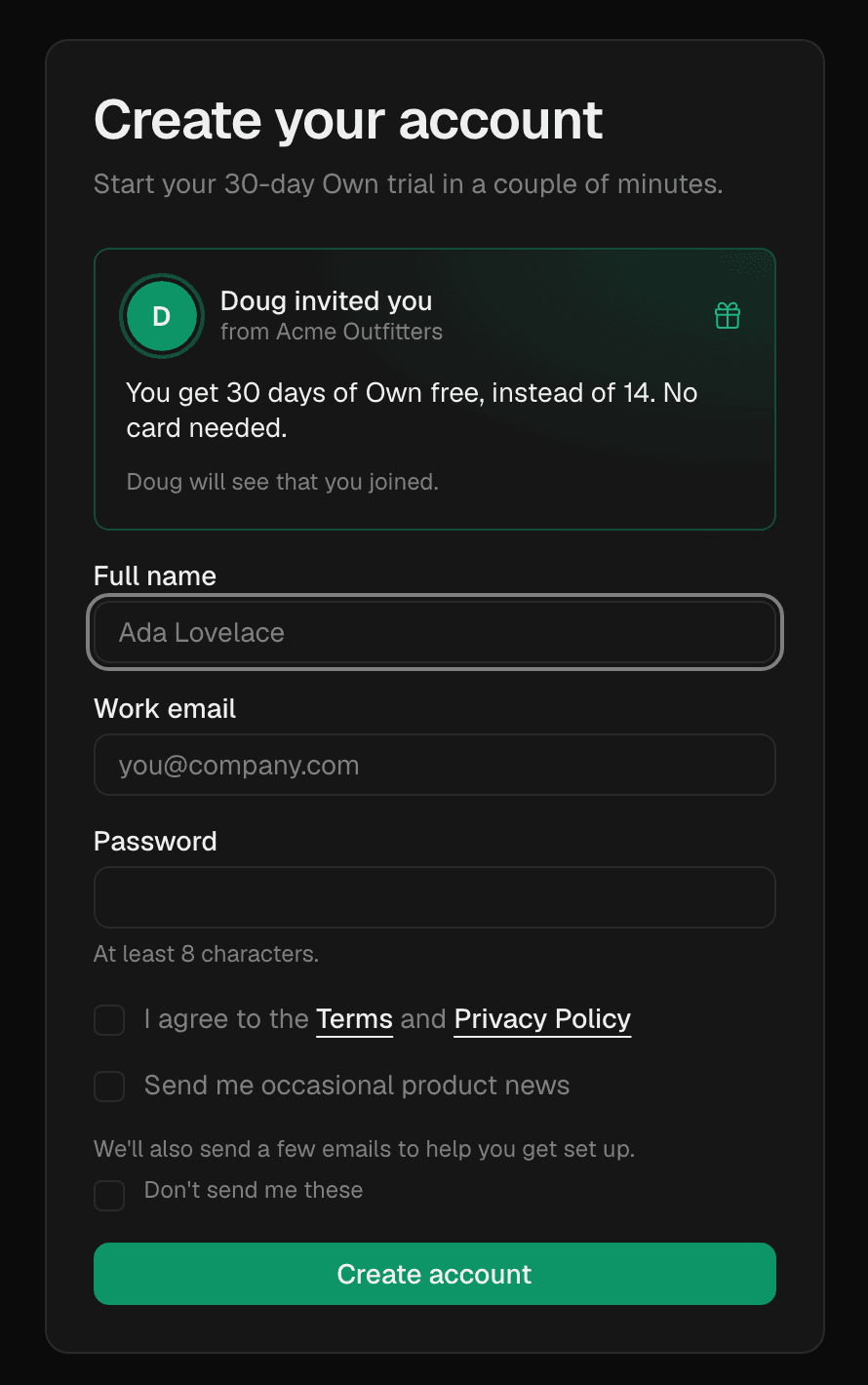
Their workspace starts on 30 days of Own, Benson's full plan, instead of the usual 14. There's no card to enter. At the end of the trial they choose a plan or move to the Free plan.
Follow your invites#
Every store that signs up with your link appears under Your invites, with a track that moves as they go.
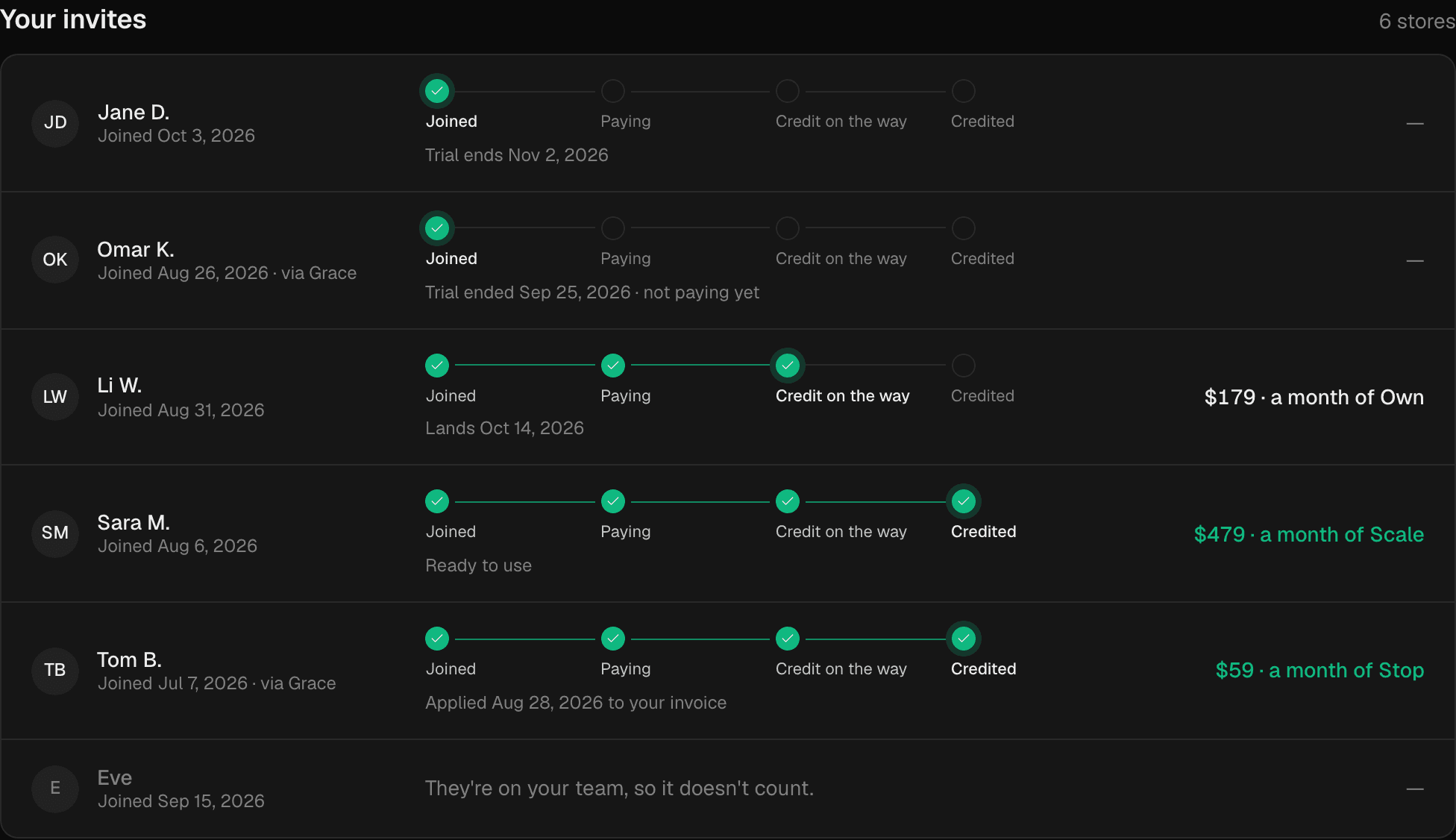
| Stage | What it means | What happens next |
|---|---|---|
| Joined | They signed up with your link and started their 30-day trial. | The row shows when their trial ends. Nothing for you to do. |
| Paying | They chose a paid plan and their first payment went through. | Your credit is on its way. |
| Credit on the way | Held for 14 days after their first payment. | It lands on the date shown, as long as they're still paying. |
| Credited | Your credit is ready, or already used. | It comes off your bill, or you turn it into Benson time. |
| Not eligible | This invite doesn't earn credit. | The row says why: your own team or workspace, shared billing, no payment within a year, they stopped paying before it landed, or you'd already earned 12 that year. |
Owners and admins also get an email when a friend joins, when they start paying, and when the credit lands. Anyone can change this in Settings → Notifications → Invites.
Your credit#
How much you get#
A month of the plan your friend pays for, at its monthly list price, in your billing currency (US dollars if you don't have one yet). It's the same whether they pay monthly or yearly.
| Your friend pays for | You get (USD) | (GBP) | (EUR) |
|---|---|---|---|
| Stop | $59 | £49 | €55 |
| Own | $179 | £149 | €169 |
| Scale | $479 | £399 | €449 |
When it lands#
14 days after your friend's first payment, as long as they're still paying. Until then it shows as On the way, with the date it lands. If they cancel or get a refund before then, that credit doesn't land.
Example: Jane on OwnIllustrative example
- Day 0Jane signs up with your linkHer 30-day Own trial starts.
- Day 30She starts paying for OwnHer invite moves to Paying.
- Day 44Your $179 credit lands14 days after her first payment.
- Next bill$179 off your Benson billOr turn it into 30 days of Own.
Where it goes#
- You pay by card. Your credit comes off your next Benson invoice automatically. If it's bigger than the invoice, the rest carries over to the one after.
- You pay through Shopify. It's added to your Shopify bill for Benson. This can take up to two business days.
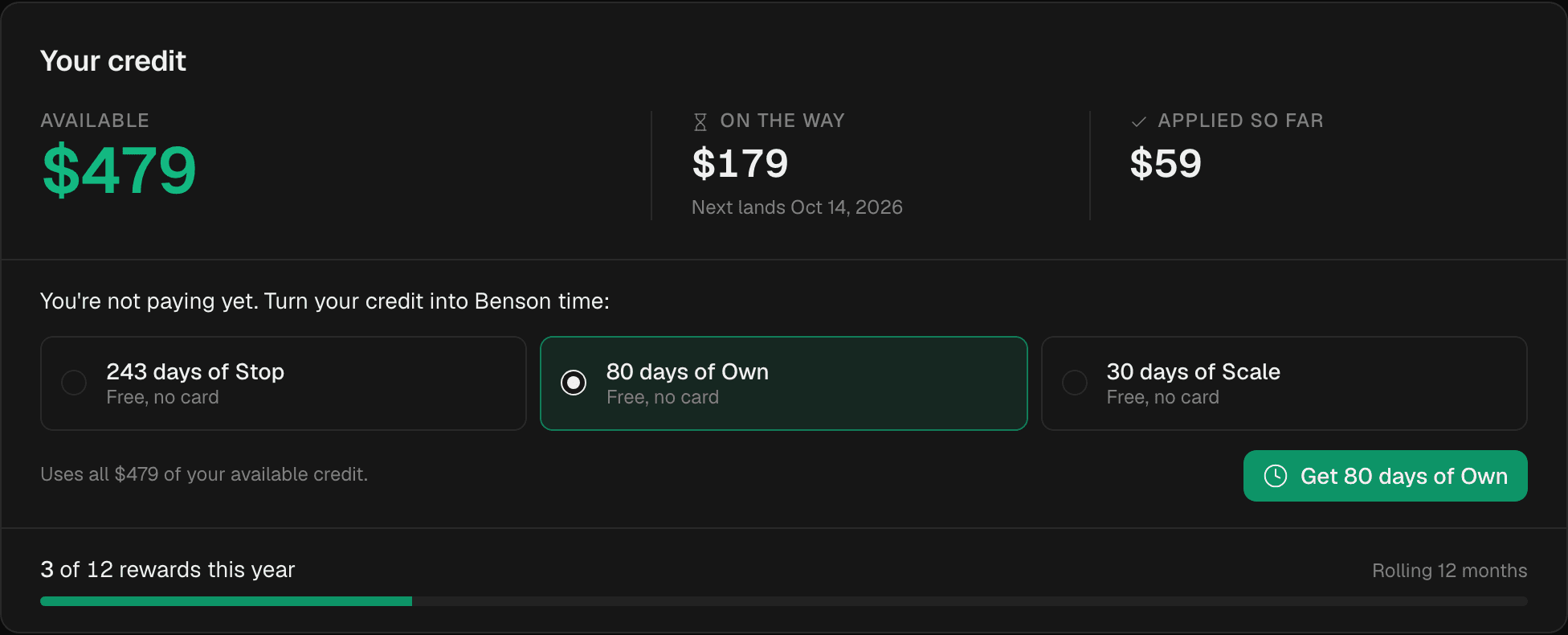
- You're not paying yet. It waits for you, and comes off your first bill when you choose a plan. Or turn it into free Benson time now: pick a plan and your credit becomes days on it, with no card.
| Credit | Days of Stop | Days of Own | Days of Scale |
|---|---|---|---|
| $59 (a month of Stop) | 30 | 9 | 3 |
| $179 (a month of Own) | 91 | 30 | 11 |
| $479 (a month of Scale) | 243 | 80 | 30 |
Turning credit into time uses all of your available credit at once. If you're on a free trial, the days are added to the end of it.
Fair play#
- Up to 12 rewards a year. Invites past that, in any rolling 12 months, still get their friend the longer trial but don't earn you credit.
- New stores only. Your own workspaces, your teammates, and stores that share your billing don't count. Invites between people at the same company are checked before credit lands.
- Credit isn't cash. It can't be paid out, sold or moved to another workspace.
- Benson can hold back or reverse credit that came from self-referrals or abuse. The full programme terms have the details.
Questions#
Can I invite a store that already uses Benson?#
Only if their workspace is new. A workspace created in the last 14 days that hasn't paid yet can still enter your handle under Invite & earn → Have an invite code?.
Do I need to be paying to earn credit?#
No. Credit waits until you choose a plan, or you can turn it into free Benson time whenever you like.
Does my friend need a card?#
No. Their 30-day trial needs no card. They only add one if they choose a paid plan.
What if my friend pays yearly?#
You still get a month of their plan at its monthly list price.
Where do I see what I've earned?#
Invite & earn shows your available credit, what's on the way and when it lands, and everything you've used. Settings → Billing shows your credit too.
Can I invite my agency clients?#
Yes, if they create their own workspace with your link. Workspaces you're a member of don't count as invites.
Who sees what?#
Your friend sees your first name (and your store's name if you turned it on). You see their first name and last initial, and where they are on the track. Neither of you sees the other's store data. The privacy policy has more.

Stuck? Email [email protected].

