

See who's on site
See Honey, Capital One Shopping and Rakuten beside orders, discounts and the last click.

Shopify, WooCommerce and more
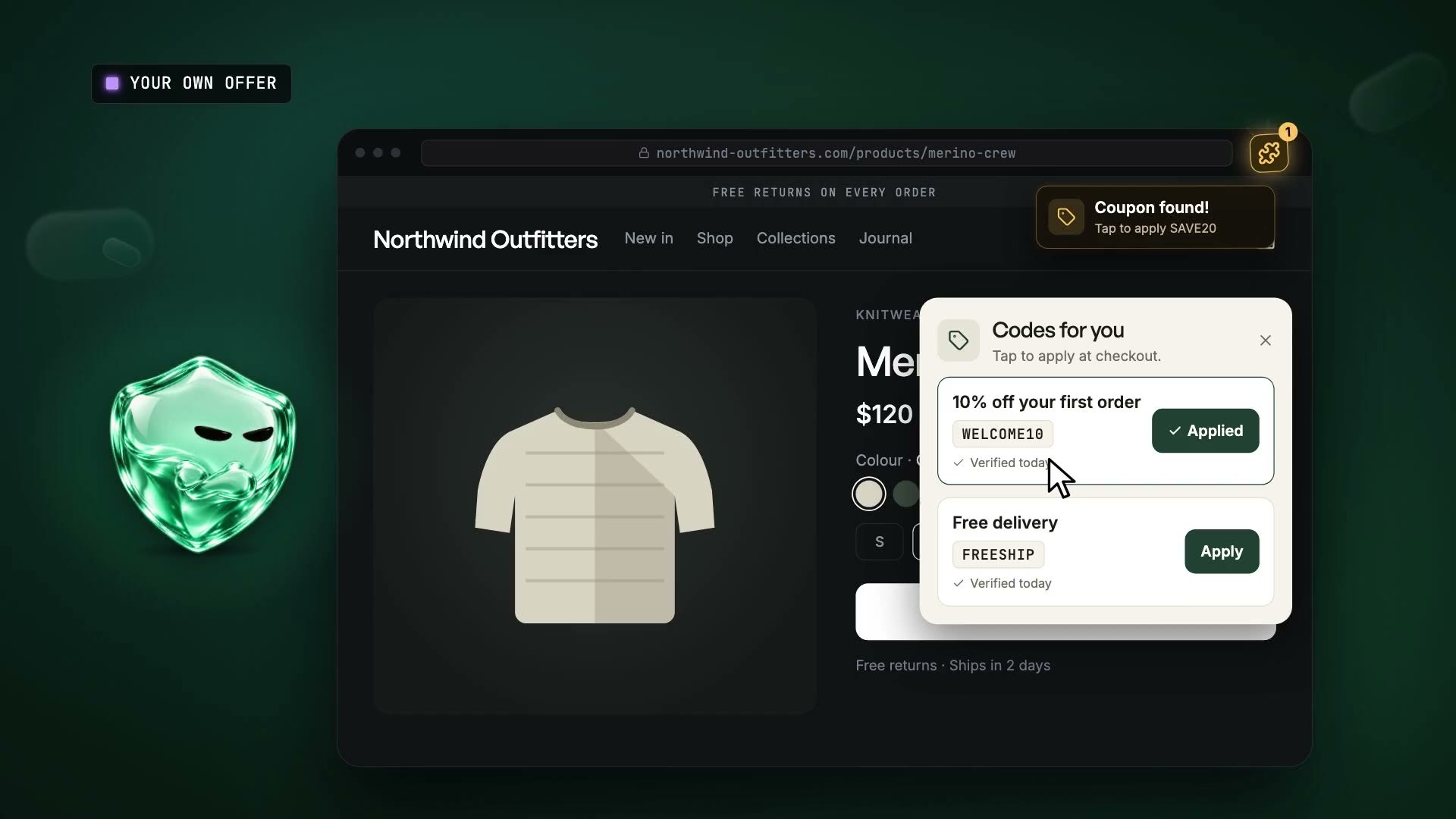
Honey and Rakuten pop up at checkout, try your codes and take the last click. Benson shows the cost and stops them.
No card. 14 days of everything in Own, then Free unless you pick a plan. We'll email you about your trial. Unsubscribe any time.


See Honey, Capital One Shopping and Rakuten beside orders, discounts and the last click.
Set a rule for each extension, then compare revenue per session with shoppers left in a holdout.
A leaked code takes $10 off a $100 order, then the extension takes commission too. Keep your codes for the right shoppers.
Your reports show sales and discounts, but not the Honey pop-up beside them. Benson names extensions in real sessions and shows conversion, order value, discount depth and affiliate credit.

Block everything and you could lose useful sales. Leave it alone and you keep paying for late clicks. Set rules by extension, page, country or device, then compare revenue per session with a holdout.

Benson hides the storefront pop-ups your rules match before shoppers click, keeping those prompts from testing codes or taking the last click.

Benson records the affiliate id at arrival and flags a new one after the cart, alongside extension activity.
The first click, the cart, the pop-up and the final affiliate claim, in one session trail.
See extension sessions where the last click changed.
Count the codes tried by agents and scripts, then cap attempts per visit.
Estimate redirected commission using your rates, then take the report to your network.
Use the Shopify app, WooCommerce plugin or one snippet on another platform.
The install verifies itself, then names extensions as shoppers visit.
Watch the extensions, hide chosen pop-ups or put your own offer in front of shoppers.
Run each change against a holdout and see what happened to revenue per session.
A share of extension sessions sees no Benson rule. Compare their orders with sessions where the rule ran.
Hidden pop-ups are activity. Revenue per extension session, protected against holdout, tells you if it paid.
A confidence interval shows the range around each result, so your team can judge how much weight to put on it before changing policy.
Give your network the attribution report, or export the figures for your finance team.
Benson shows what it will load and what remains in your theme.
Paid traffic, a country, product pages, the evening. Read each rule in plain English.
A random share goes without the tool. Compare their orders with the shoppers who saw it.
“We don't get extension traffic.”
Maybe. Benson will tell you in a day, from your own sessions.
13M
Chrome users still run PayPal Honey.
“Discount extensions will always exist, but they'll start to play by the rules. Benson is here to police them, and to help both sides understand the value each one brings.”
“Extensions work for us.”
Test them. Keep the ones that earn their commission.
“We don't discount.”
Then tell shoppers before checkout, so they stop hunting for codes. Offer your list instead.
54%
of US online shoppers look for discounts while browsing or at checkout.
45%
of US affiliate spend goes to cashback, loyalty and coupon sites.
“We already partner with one.”
Measure what it adds with a holdout. Keep the partner that earns its fee.
The extension deal playbook
Health, sessions and extension share across your client stores.
Northwind Outfitters
PDFLinkEvery MondayPut your logo on a scheduled link or PDF for a client. On Scale.
Separate workspaces, each with its own data and billing.
Articles
Read the practical work behind code policy, extension deals and holdouts. Bring the right question to your next trading review.
Read the articlesNo card. 14 days of everything in Own, then Free unless you pick a plan. We'll email you about your trial. Unsubscribe any time.












 Margin